 Study Detailed Fundamentals
From company description to EPS estimates, full Profit and Loss Statements and much more
Choose the dataset to display from the menu and it will immediately appear, with the relevant choices
On historical data like P/L or EPS or Dividends, chose the time period to load and the frequency (Quarterly/Annual/All)
Added data provided for comprehensive analysis, like Insiders' History and Holders' List
Get technical data like Splits, Dividends and Shares outstanding history
Instant access to valuation metrics
Clear uncluttered view
Smart menus for options on each data set
Chose how to display units
Select frequency and history
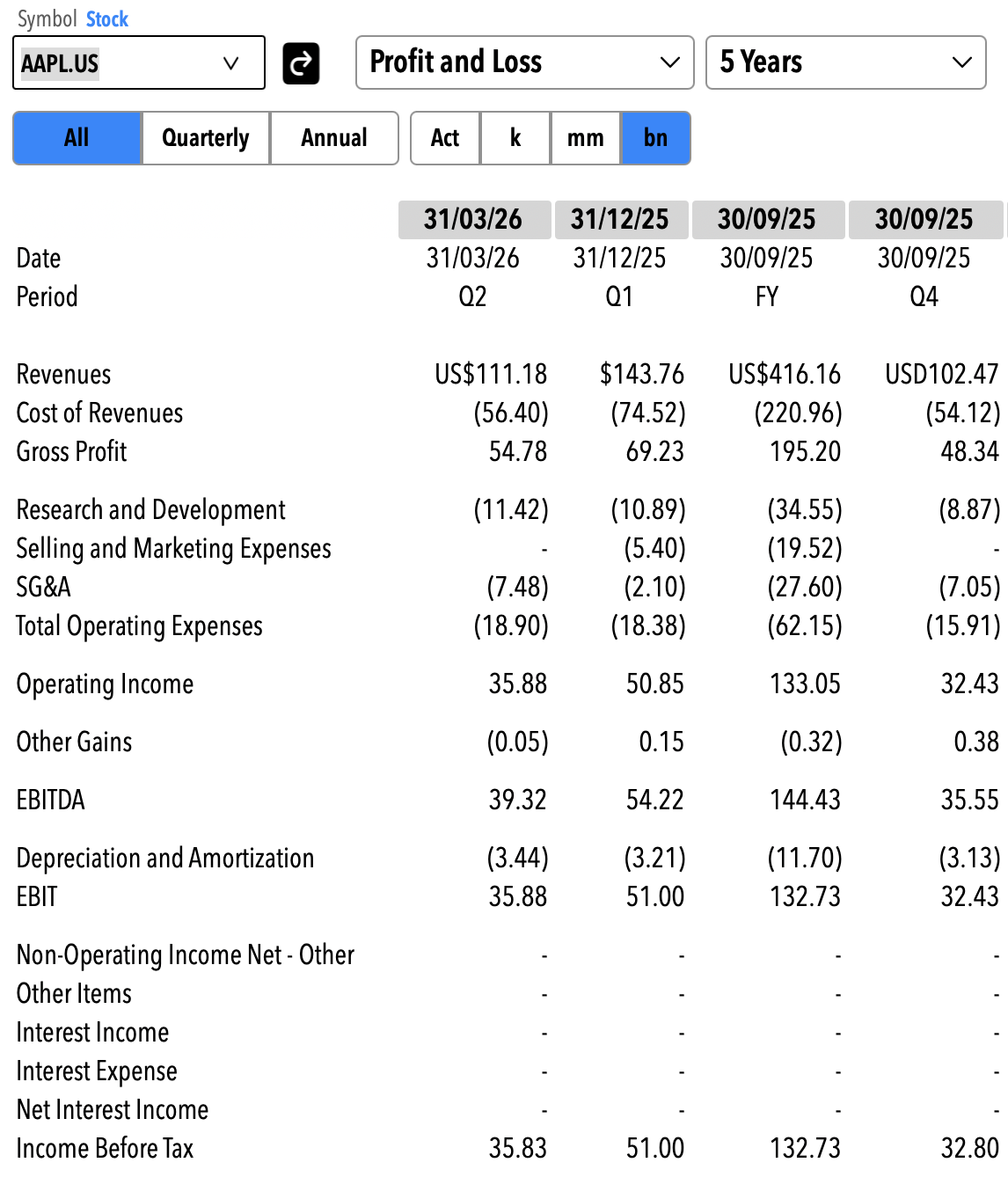
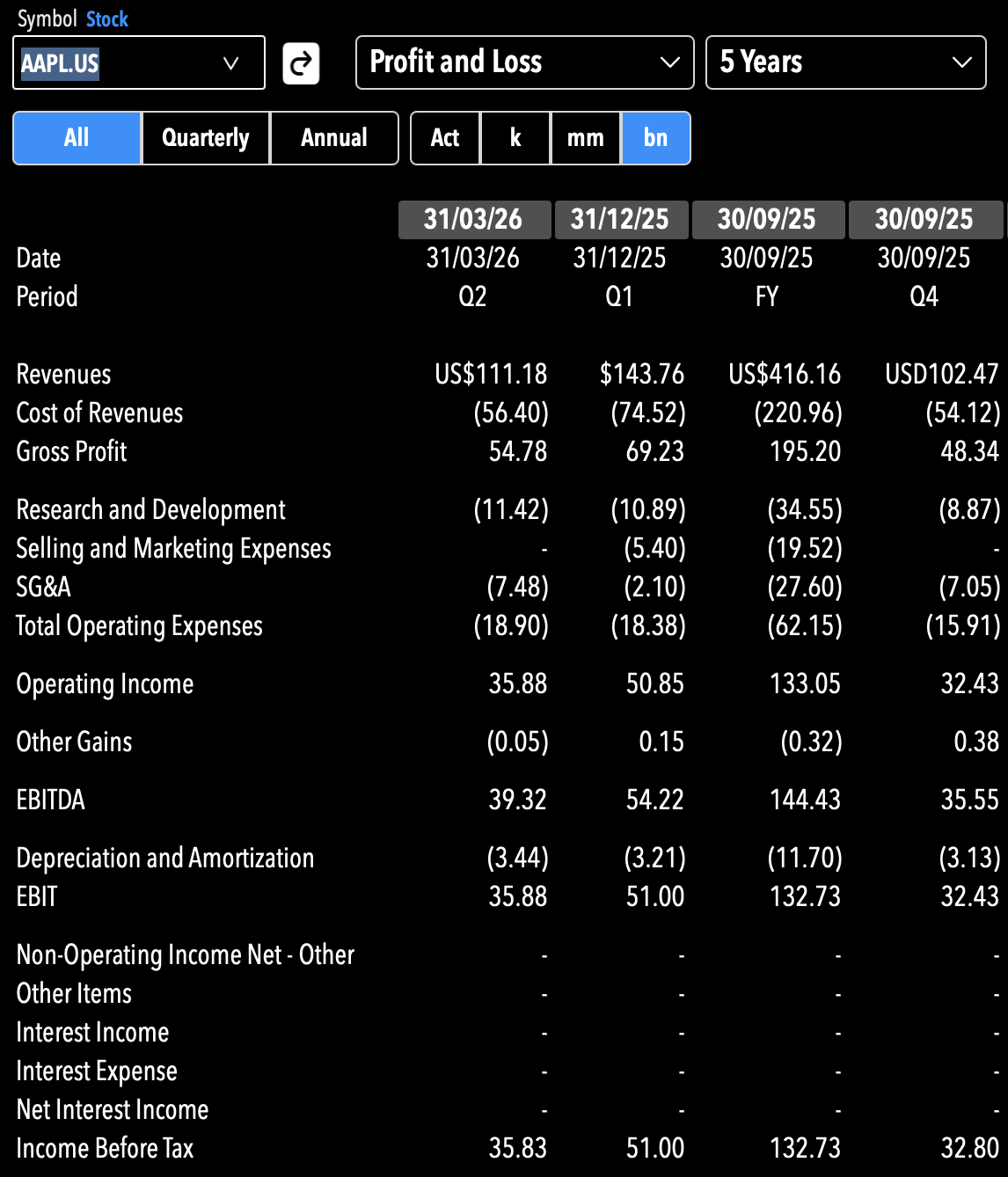
Each data set is clearly laid out
Key fields displayed and sorted automatically
Sort data by any field
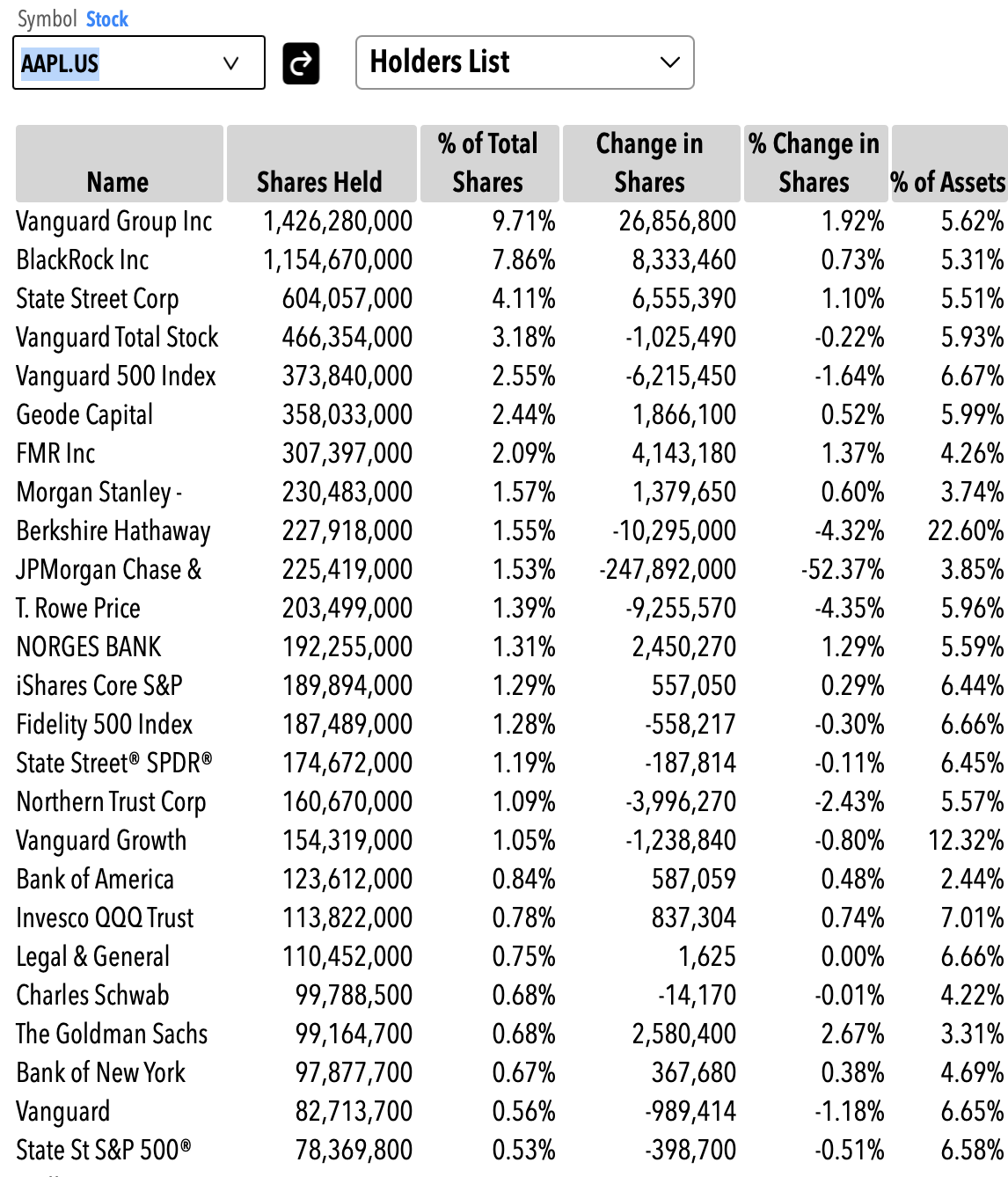
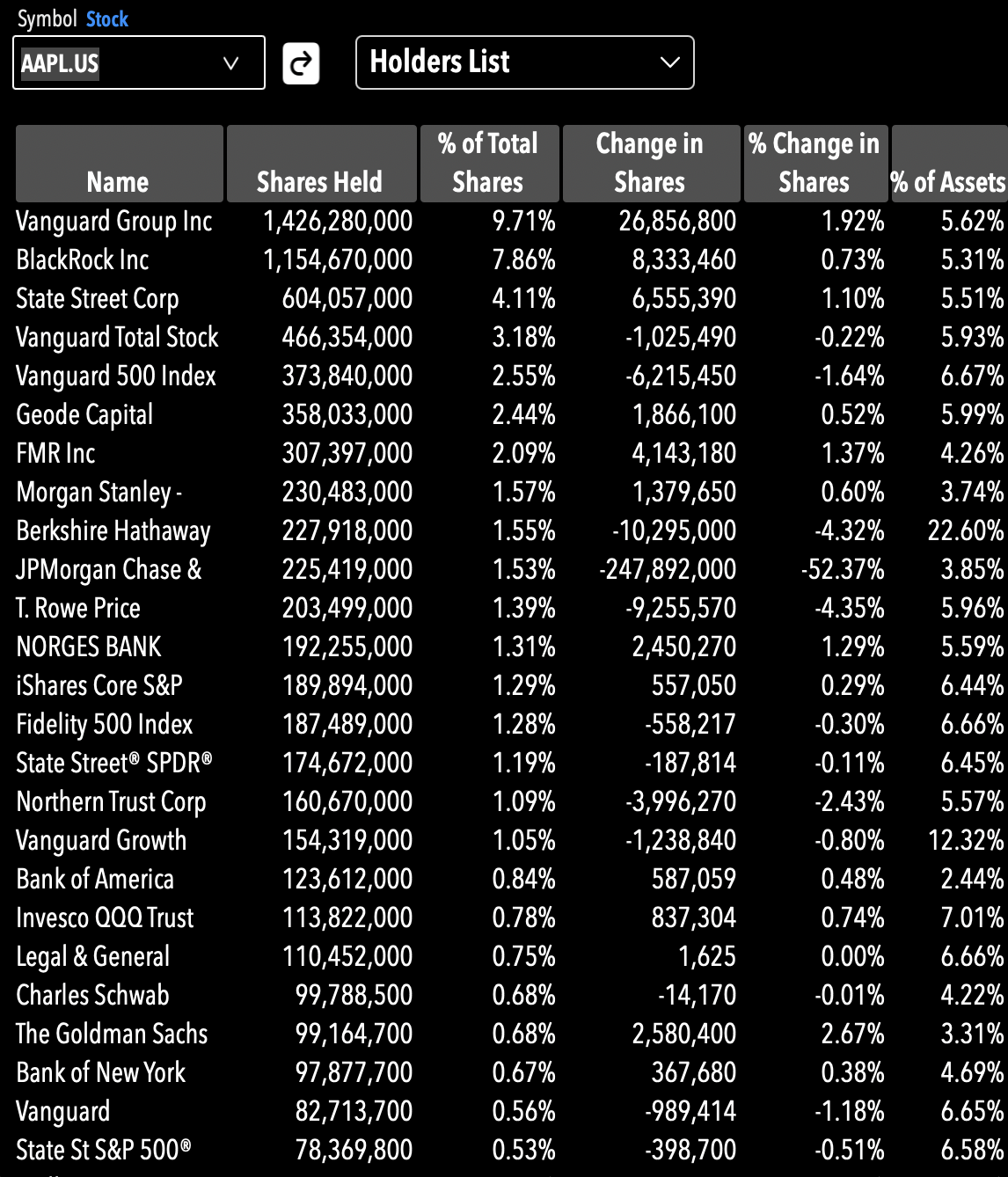
Get estimates
Granular analysis by analysts
Select the perios and the frequency
Export the whole spreadsheet
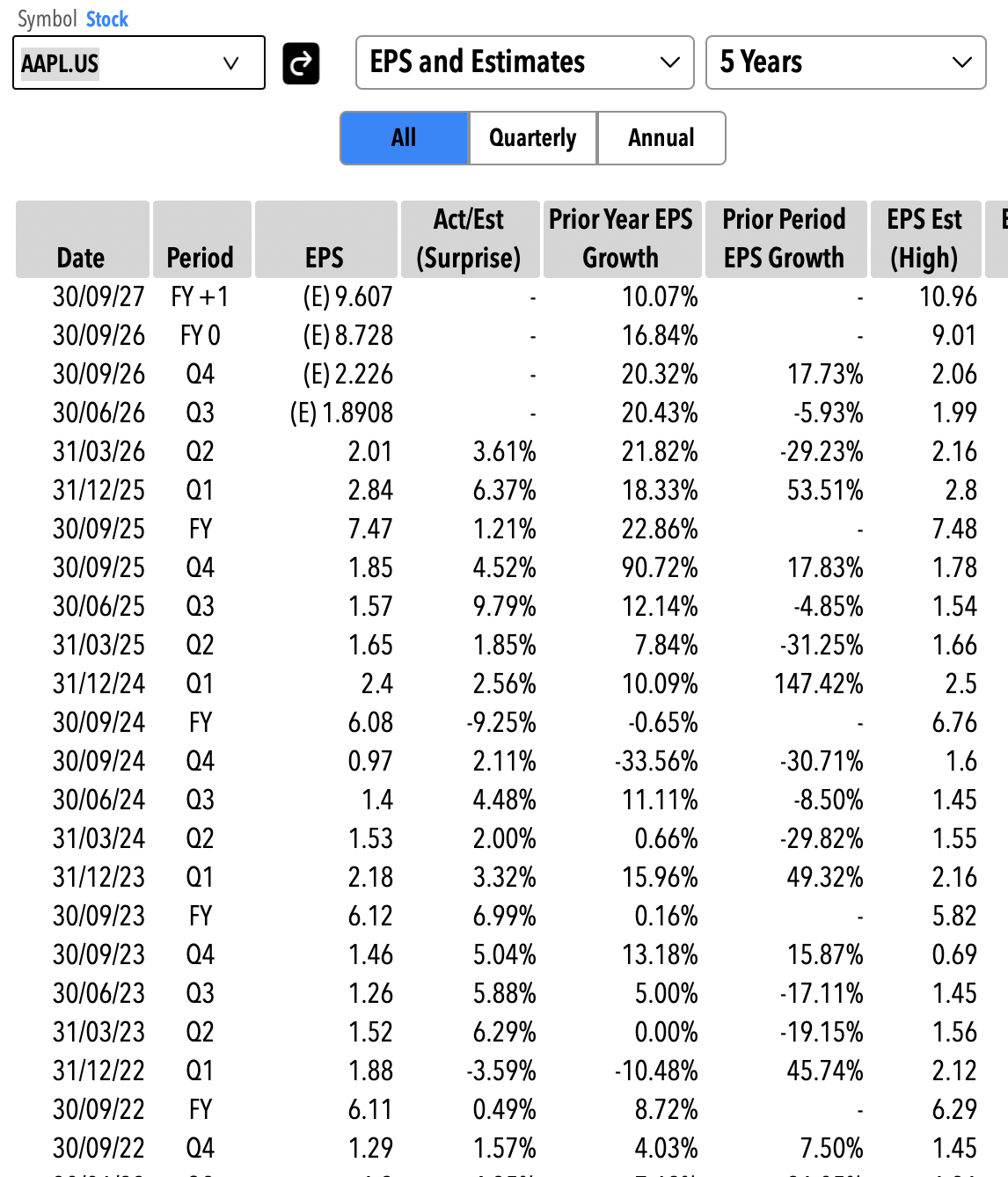
Depending on which data set you are showing, the appropriate menus appear to manage your preferences

Symbol Menu, always displayed. You can directly enter the symbol or by pressing the v symbol shows the last 10 symbols entered

Dataset Menu, always displayed. With this you choose which set of fundamentals data to display. This menu is adaptive. It will show different choices depending on the security type

Date Range Menu, where you select how far back to load some data sets. This menu appears only if the selected dataset has a historical series (P&L, Balance Sheet, Cash Flow, EPS, Dividends, etc.)

Frequency Menu. It appears with the Date Range Menu if the series had quarterly as well as annual data points. If you select All in some case you will both see Q4 data alongside FY data

Units Menu. Appears in the Profit And Loss, Balance Sheet and Cash Flow datasets and allows you to change the display units. Analystick does automatically load the data with the most appropriate units, this menu allows you to change them.
Use The Valuation and Performance page to display multiples and metrics for multiple securities at oce
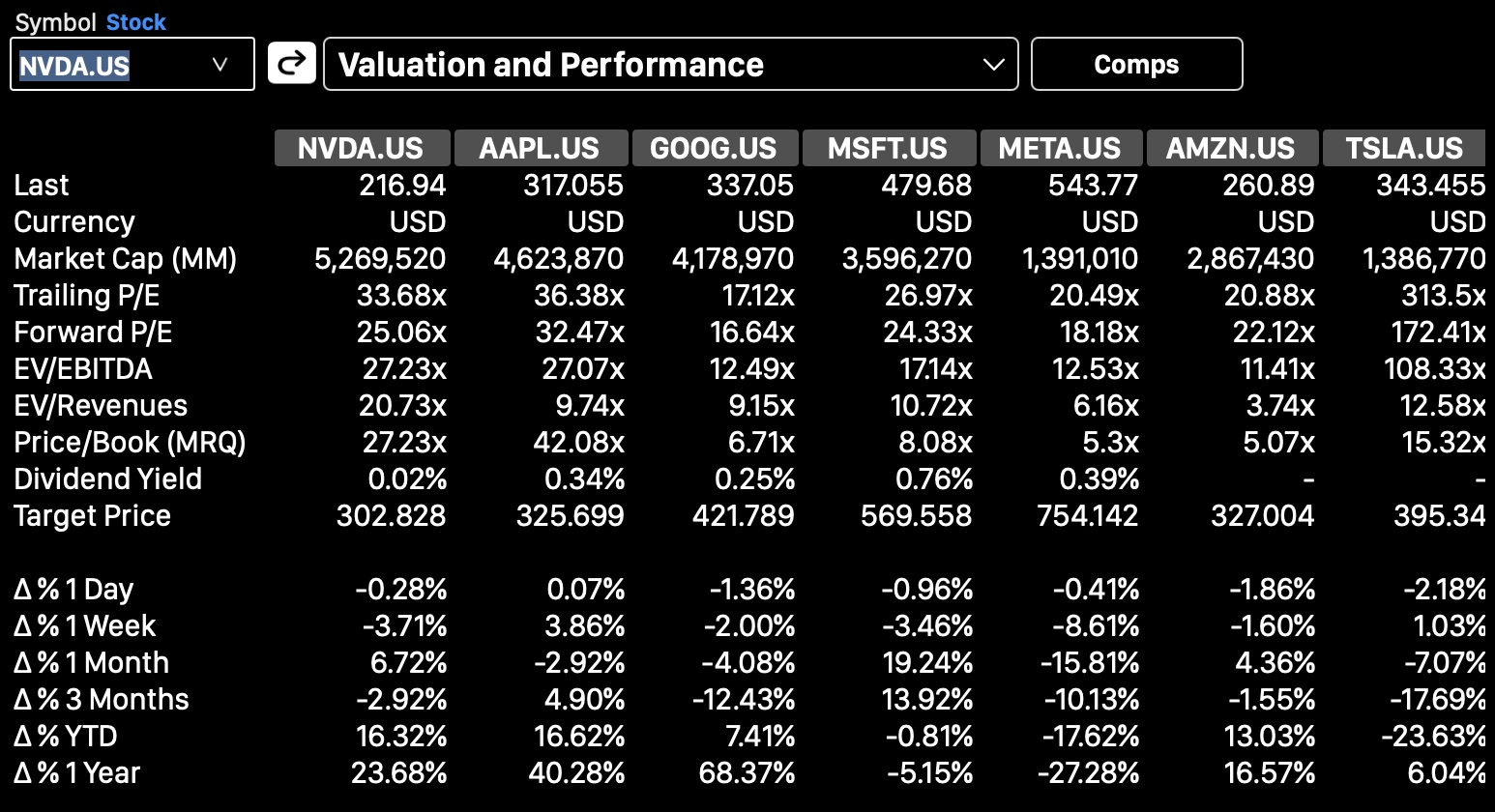
Once you load the page for the first time you will only have the column for the selected symbol
Click on Comps to add new symbols (must be the same type of security) and new columns will appear, one for each symbol
Click on each column's header (the symbol) to edit or delete it or add new symbols before or after it
Analystick will remember all the comps (the symbols) associated with the first symbol loaded and each time you recall that symbol, all the comps will appear (until you change them)